
GS Auto Clicker is a versatile tool that automates repetitive mouse-clicking tasks, providing relief for users who face extensive clicking in games or work. Its simple setup and customizable options make it suitable for all user levels, from gamers to professionals.
Getting Started
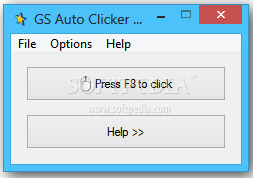
The interface is straightforward, with a “Press F8 to Click” button signaling the default hotkey, though users can change this to any preferred key. Options include choosing single or double clicks and selecting which mouse button to use. The tool can be set to click continuously or to stop after a specified number of clicks.
GS Auto Clicker allows users to record and replay sequences of clicks across different points on the screen, ideal for tasks that require precise clicking in multiple locations. This feature is especially beneficial for gaming or complex work tasks, enabling repeat actions without physical strain.
Users can define intervals between clicks down to milliseconds, optimizing for scenarios where timing is crucial. The “Smart Click” feature records click patterns, while the minimal CPU usage keeps GS Auto Clicker running smoothly in the background without disrupting other activities.
Additional Functionalities
Upon task completion, GS Auto Clicker can trigger actions like locking, logging off, entering standby mode, or shutting down. This is helpful for long, unattended tasks. An optional balloon tip display provides status updates, adding convenience.
Technical Details
- Version: 3.145
- License: Free
- OS: Windows
- Publisher: GoldenSoft
- Download : Download now